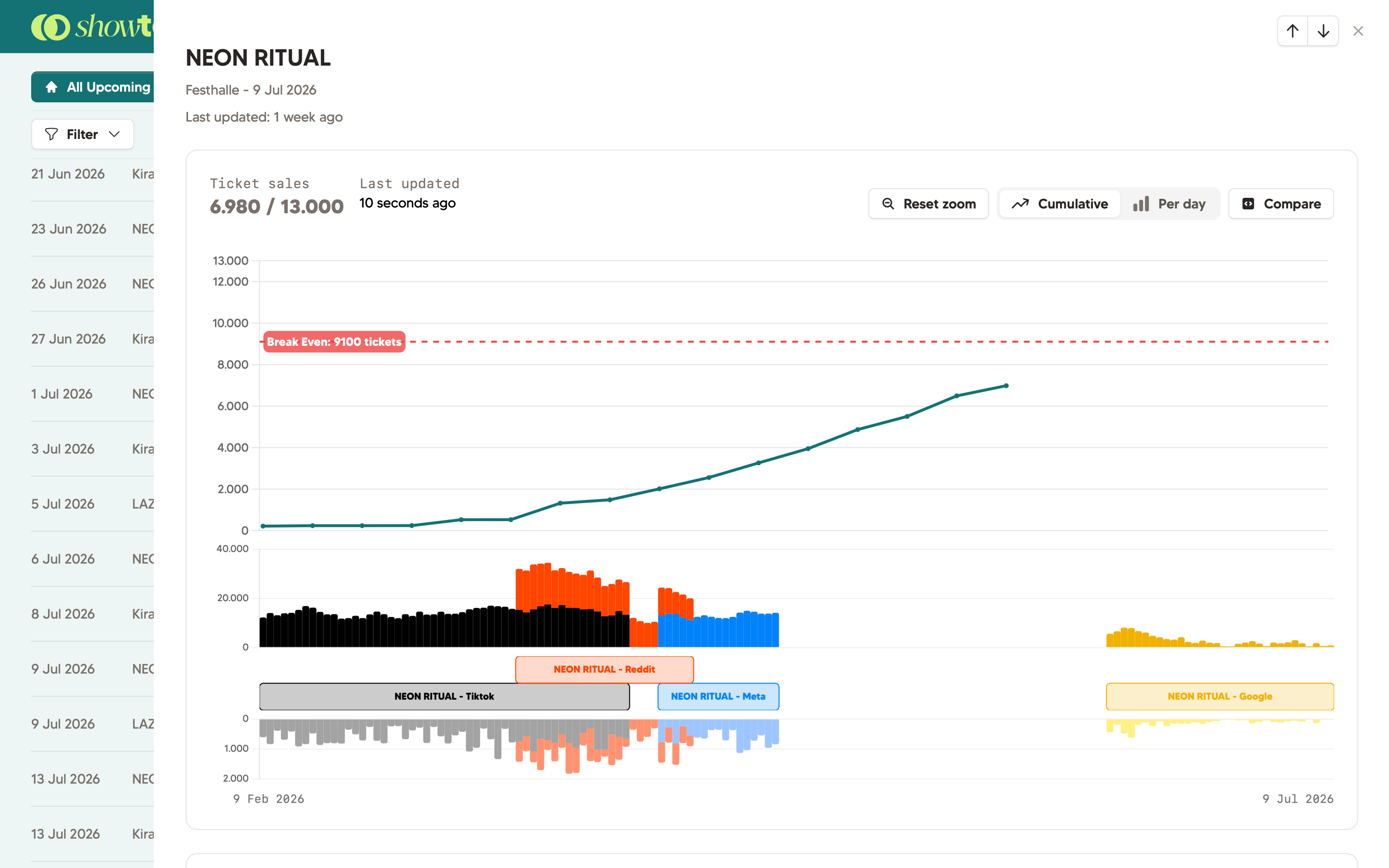
Click on any show and get the full picture: ticket statistics in a clear graph, custom fields, linked ad campaigns, and comparison against other shows. No tabs, no spreadsheets.
Connect Ticketmaster, Weeztix, Paylogic, or CM.com and your live ticket data appears directly in the show panel. Sold tickets and capacity are down by ticket type, and updated automatically throughout the day.
Your team doesn't need to log in in the ticket provider any longer, and you can add all the valuable context which has no place in your ticket provider.
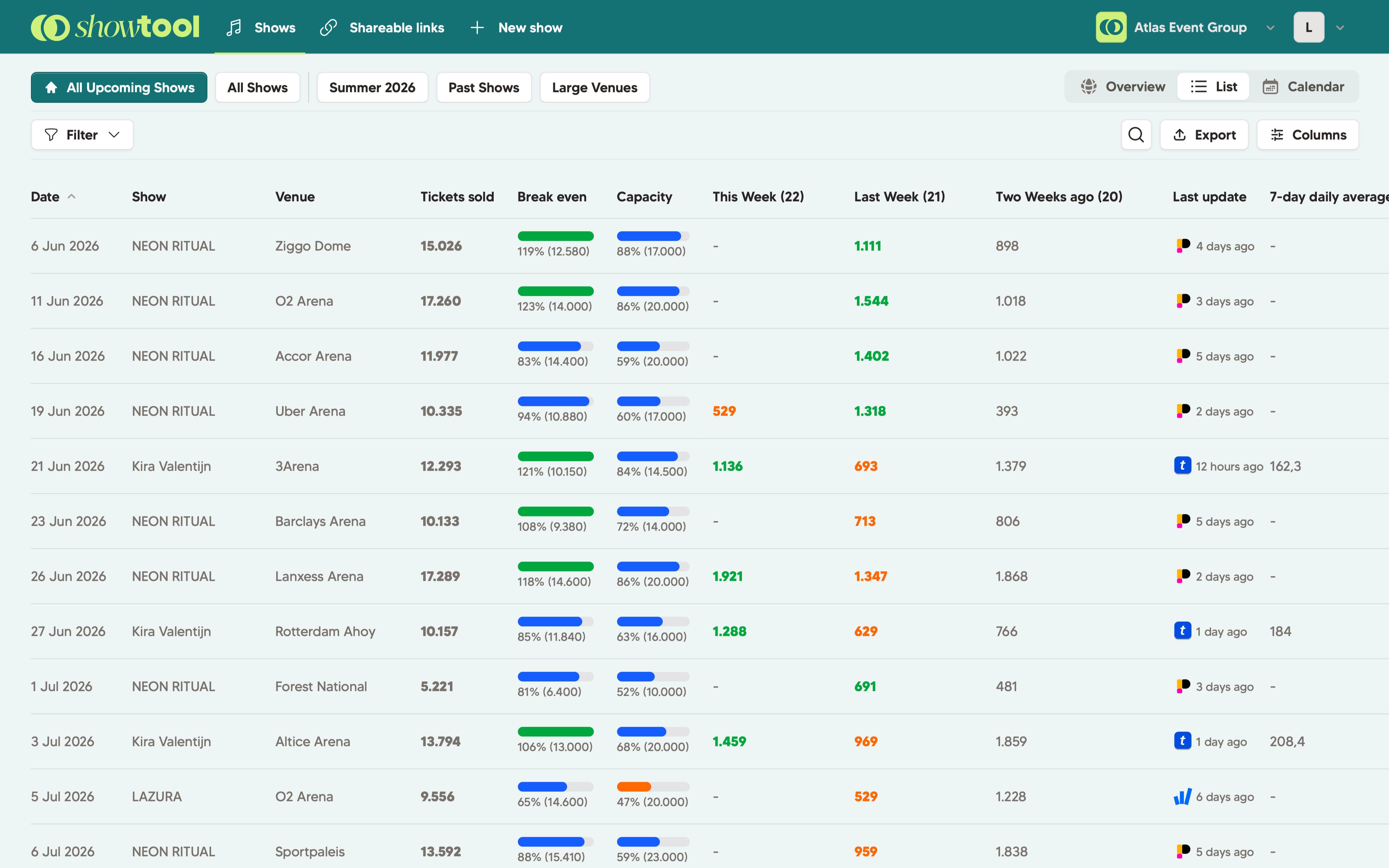
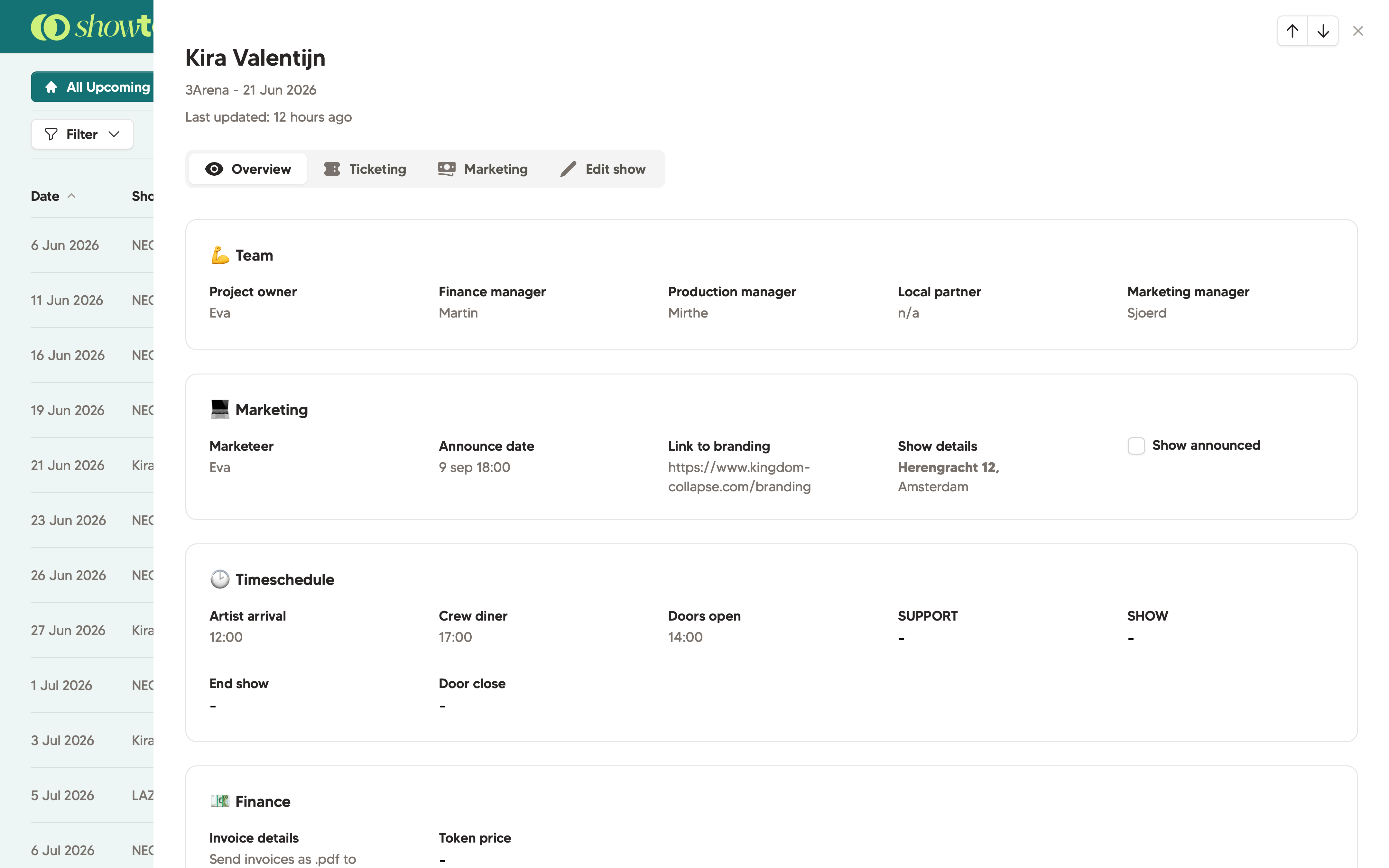
Think of Show Fields as columns in your spread sheet. Every show has information which otherwise end up in Excel sheets, todo apps, or even worse: people's heads.
Configure it yourself and add information like: marketing manager, budget, dates, or even a timeschedule.
Fields are visible to your whole team. No more "who's responsible for this one?" questions on Monday morning.
Connect Meta Ads, Google Ads, TikTok Ads, or Reddit Ads and link each campaign to a specific show. Showtool pulls clicks and impressions into the show panel alongside your ticket sales. For the first time, you'll automatically see your marketing effort vs ticket sales in one view. We made sure the graphs are as clear and understandable as possible for you.
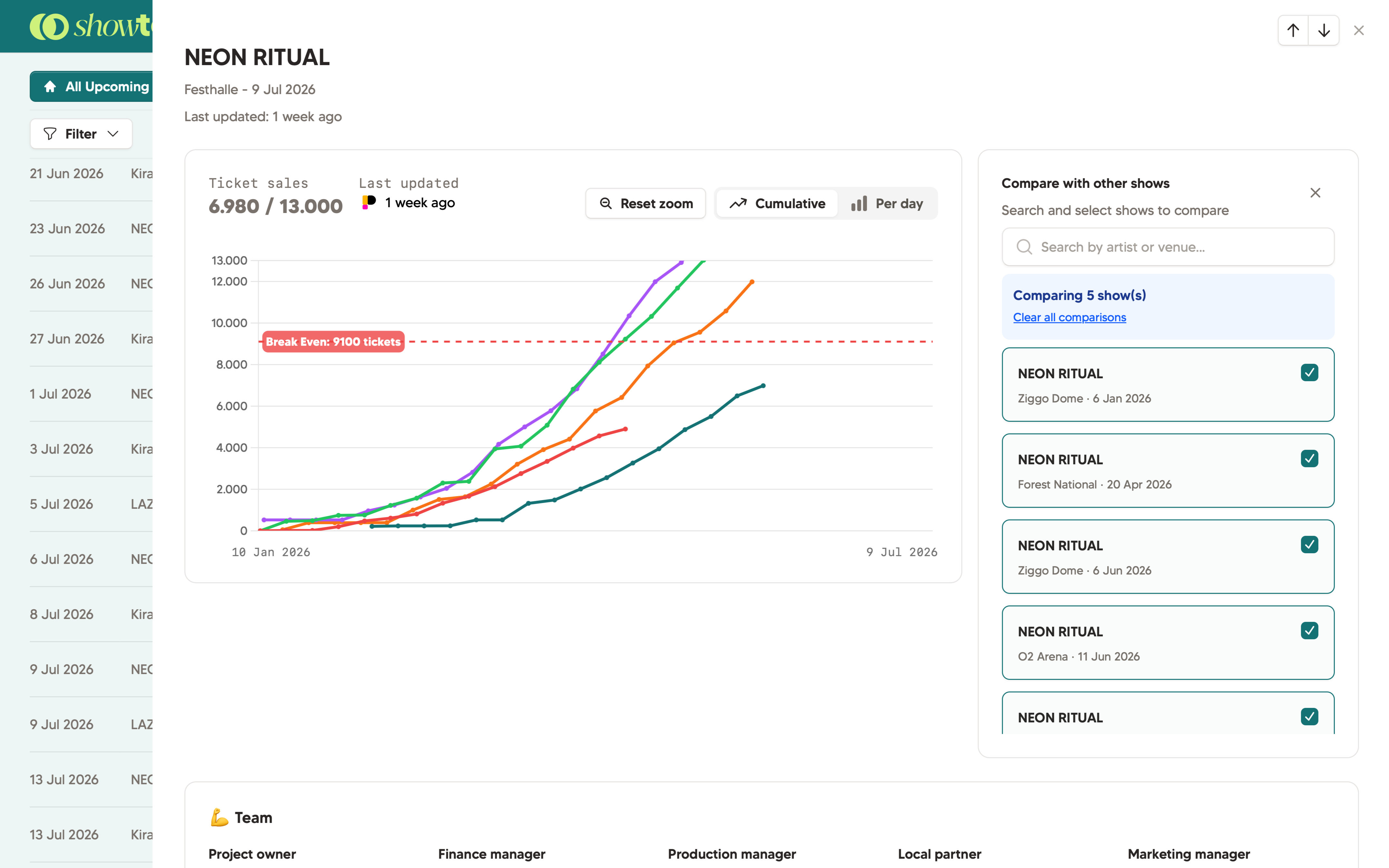
Select as many shows as you like and compare them side by side. See how presale velocity differs between venues, how similar events performed last year, or which marketing channels drove the most tickets for comparable shows.
Useful for festivals with multiple editions, or tours through different cities.
Yes. Show fields are fully configurable per workspace. Add fields like marketing manager, budget, genre, stage, or any other field your team tracks. They will appear in every show's detail panel.
Yes. Connect Meta Ads, Google Ads, TikTok Ads, or Reddit Ads and then tag each campaign to the relevant show. Showtool calculates impressions and clicks and shows it side by side to ticket sales
Yes. Once set up, you can go wild: comparing Ticketmaster shows to Weeztix shows? No problem at all.
Yes. Selling your regular tickets via Paylogic, but having some VIP tickets via Ticketmaster? With Showtool, you can load that in easily
14-day free trial. No credit card needed. Setup takes about five minutes.
 Book a demo